How to see the shopping cart?

The following guide explains how to open the cart to buy or remove Scrub Hats from your list. In addition to applying the coupon in our store

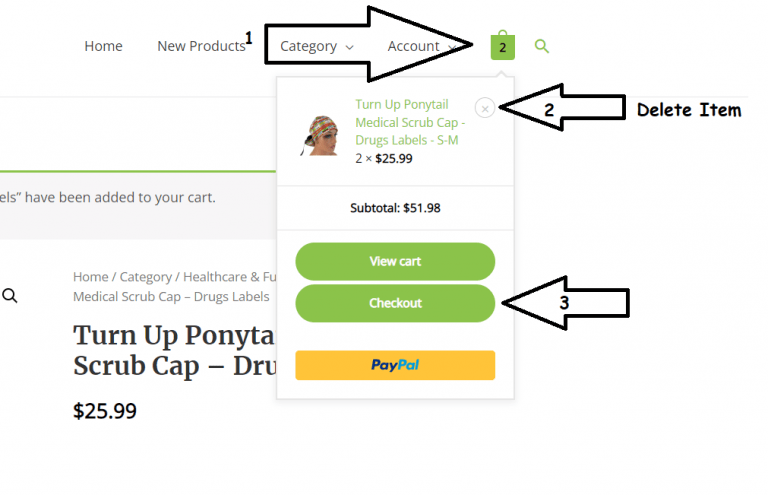
   1- To see the cart with the items you have selected, press the image button

   2- If you do not want the hat, if you press the “X” as shown in the image, the order is removed from the cart

   3- Press the Checkout button to make the purchase of your favorite items 🤗😁

Cart Section

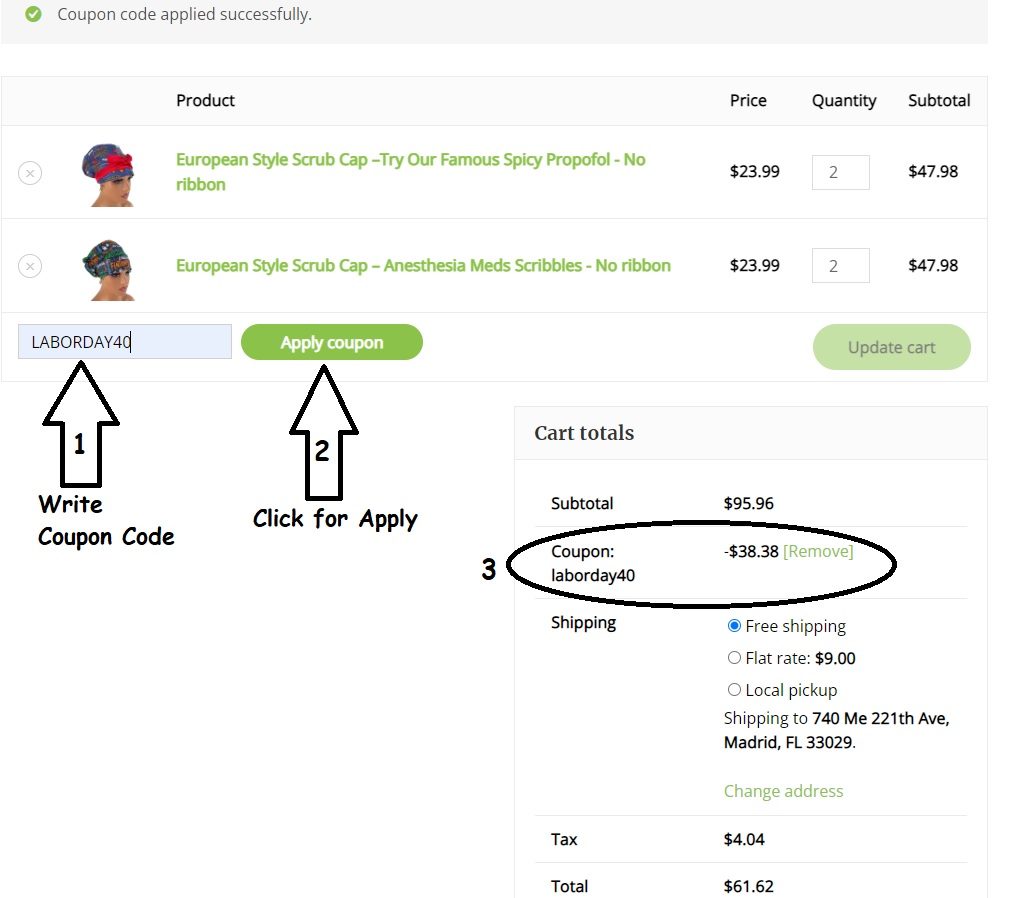
The following image explains an example. It is important to follow the 3 steps and verify that the coupon was applied correctly.

  1- Put the name of the coupon to get the discount that is on offer,

  2- Press apply to make the discount automatically

  3- Observe how much the discount would be, attention if the sum becomes below 50 you do not receive free shipping 😁😁

  If you have any questions, you can touch the WhatsApp button on your right and we will assist you.

Shopping Cart